What is Accounts Payable Software?
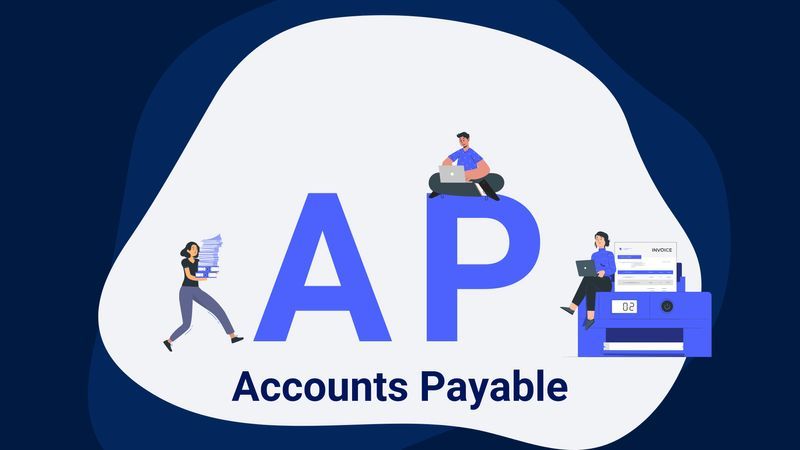
Accounts payable (AP) software is made to make tracking and
managing business expenditures easier. Automating processes like
payment disbursements, approval workflows, and invoice
processing, it minimizes errors and eliminates the need for
manual data entry. This program gives companies real-time views
into their cash flow, due dates, and existing liabilities,
giving them more control over their financial operations. AP
software increases accuracy and efficiency by digitizing these
tasks, guaranteeing on-time payments, and strengthening ties
with suppliers.
What Are Accounts Payable Automation Software?
To further expedite accounts payable (AP) procedures,
accounts payable automation
software incorporates cutting-edge technology including
optical character recognition
(OCR), machine learning (ML), and artificial intelligence (AI).
To minimize manual intervention and provide quicker, more
accurate invoice processing, this program automates repetitive
operations like data entry, invoice matching, and approval
routing. Automation improves overall financial management by
assisting in the detection and prevention of errors, fraud, and
compliance issues. Businesses can greatly increase productivity,
reduce operating expenses, and enhance the effectiveness of
their accounts payable departments by utilizing these
technologies.
Top Features of Accounts Payable Automation Software
Understanding the essential elements that can streamline your
accounts payable procedures is necessary when selecting the best
accounts payable automation software. The following are some
crucial elements to think about:
OCR and Data Capture
-
Modern OCR Technology: Reduces human data
entry and minimizes errors by capturing and converting data
from a variety of invoice formats into digital information.
-
Intelligent Data Extraction: Even from
complicated and variable invoice forms, AI-powered
technologies reliably extract pertinent information.
Automated Processes:
-
Customizable Approval Workflows: To improve
efficiency and control, create and alter approval workflows
to guarantee that invoices are sent to the appropriate staff
members by predetermined guidelines.
-
Automated Matching: This technique reduces
disparities and expedites validation by automatically
matching invoices to purchase orders and receipts.
Capabilities for Integration:
-
Seamless Integration: For a unified
workflow, make sure the software interfaces with your
current accounting programs, ERP, and other financial tools.
-
Strong API support: is a must for seamless
connection with other business programs, so keep an eye out
for such.
Analytics and Reporting in Real-Time:
-
Dashboards and Reporting Tools: Strategic
decision-making is aided by real-time visibility into AP
processes via extensive dashboards and adaptable reports.
-
Tracking Key Performance Indicators (KPIs):
Keep an eye on cash flow trends, payment statuses, and
invoice processing timeframes. Safety and Adherence:
Safe Data Handling
-
Verify that the program complies with the
strictest data security guidelines, which include encryption
and safe access restrictions.
-
Regulatory Compliance: By offering audit
trails and validation checks, the software should support
the upkeep of compliance with internal rules and industry
requirements.
Flexibility and Scalability:
-
Scalable Solutions: As your company
expands, the software should be able to handle a rise in the
number of invoices it receives without sacrificing
functionality.
-
Customization: Adapt the software to your
specific business needs with our flexible configuration
choices.
Businesses can choose an accounts payable automation software
that improves efficiency, accuracy, and control over their
financial processes by concentrating on these qualities.
What Are The Types Of Accounts Payable Software?
Accounts payable software comes in various types, each catering
to different business needs:
On-Premises Software:
-
Description: Installed and hosted on the
company’s own servers, offering complete control over data
and customization.
-
Advantages: High security and
customization; suitable for large enterprises with specific
needs and robust IT infrastructure.
Cloud-Based Software:
-
Description: Hosted on the vendor’s
servers and accessed via the internet, offering flexibility
and remote accessibility.
-
Advantages: Lower upfront costs,
scalability, automatic updates, and remote access; ideal for
small to medium-sized businesses.
Integrated ERP Systems:
-
Description: Part of a broader enterprise
resource planning (ERP) system that integrates various
business processes including accounts payable.
-
Advantages: Unified data across
departments, streamlined processes, and improved visibility;
suitable for businesses looking for an all-in-one solution.
Specialized AP Automation Tools:
-
Description: Standalone tools focused
specifically on automating accounts payable processes,
offering advanced features like OCR, AI, and workflow
automation.
-
Advantages: Best-in-class features, quick
implementation, and high efficiency; suitable for businesses
that need advanced AP automation without overhauling their
entire ERP system.
Choosing the right type depends on your business size, budget,
and specific requirements.
Why Use A/P Automation Software?
Using software for accounts payable automation has the following
main advantages:
-
Efficiency and Speed: Automation expedites
the processing of invoices, saving time and effort in the
payables management process. This maximizes cash flow and
guarantees on-time payments.
-
Accuracy and Error Reduction: By reducing
human error through automated data capture and validation,
invoice processing is made more accurate and consistent.
This lowers the possibility of inconsistencies and monetary
losses.
-
Cost Savings: AP automation software saves
a lot of money by cutting down on operating expenses and
manual labor. Additionally, businesses can benefit from
early payment discounts because of faster processing.
-
Enhanced Compliance: Automation lowers the
risk of fraud and non-compliance by enforcing adherence to
internal policies and legal standards. Transparency and
convenience of the audit process are provided by thorough
audit trails.
-
Improved Supplier Relationships: Timely
and accurate payments improve relationships with suppliers,
leading to better terms and potential discounts.
User-Friendly AP Automation Software: Key to Efficiency
To maximize automation's benefits and achieve efficiency,
user-friendly AP automation software is a must. This is the
reason why:
-
Ease of Use: Users don't need a lot of
training to become proficient with the software because to
its intuitive interfaces and straightforward navigation.
Productivity rises and the learning curve is lowered as a
result.
-
Accessibility: Remote access is made
possible by cloud-based solutions, which let users handle
approvals and generate invoices from any location.
Efficiency is increased by this flexibility, particularly in
a remote workforce.
-
Customization: Workflows and approval
procedures can be tailored to your unique company
requirements, ensuring that the software integrates easily
with your current operations.
-
Support and Training: Users may take full
advantage of the software's capabilities and rapidly address
problems with the aid of extensive support and training
resources.
-
Scalability: As your volume of invoices
increases, consistent performance and efficiency are ensured
by user-friendly software that evolves with your
organization.
A user-friendly AP automation system can help businesses
increase productivity, lower error rates, and get a quicker
return on investment.
Breaking Down the Best Accounts Payable Software Platforms
When evaluating accounts payable software platforms, it’s
crucial to consider how well they align with your business needs
and processes. Here’s a breakdown of our top platform:
-
Features: Our advanced OCR, AI-powered data
extraction, customizable workflows, seamless ERP
integration, real-time analytics, and compliance support are
designed to optimize your AP processes.
-
No-Code Implementation: Our platform
requires no developers, making it accessible and easy to
implement. Businesses can go live in less than 21 days.
-
Data Magic: Advanced OCR and AI
capabilities transform days of manual work into hours, and
hours into seconds, speeding up invoice processing and
reducing errors.
-
Seamless Integration: Integrates
effortlessly with existing ERP, CRM, and accounting systems,
ensuring a smooth and continuous workflow without the need
for extensive technical adjustments.
-
Scalability: Our solution scales with your
business, handling hundreds or thousands of invoices with
consistent performance.
-
Enhanced Supplier Relationships:
Timely and accurate payments facilitated by our platform
improve relationships with suppliers, leading to better
terms and potential discounts.
Tipalti:
-
Features: Comprehensive AP automation,
including global payments, tax compliance, and supplier
management.
-
Advantages: Suitable for businesses with
international operations, offering multicurrency and
multilingual support. Integrates with major ERP systems and
provides real-time visibility into payables.
AvidXchange:
-
Features: Invoice automation, payment
processing, and supplier management.
-
Advantages: Strong focus on mid-market
companies, providing tailored solutions that integrate with
over 200 accounting systems. User-friendly interface and
dedicated support.
Coupa:
-
Features: Comprehensive spend management,
including AP automation, procurement, and expense
management.
-
Advantages: Ideal for businesses seeking a
unified platform for managing all aspects of spend.
AI-driven insights and strong integration capabilities.
SAP Concur:
-
Features: Invoice management, expense
reporting, and travel management.
-
Advantages: Robust integration with SAP
ERP and other systems. Extensive features for large
enterprises with complex AP processes.
Each platform offers unique features and advantages, so it’s
important to evaluate them based on your specific needs, such as
the volume of invoices, integration requirements, and budget.
How to Choose the Best Accounts Payable Automation Software
To make sure the best accounts payable automation software fits
your demands, take into account the following important factors:
Determine What You Need:
-
Volume and Complexity: Evaluate how many
invoices you process each month and how intricate your
approval processes are. This will assist in determining the
necessary feature set and scalability.
-
Requirements for Integration: Think about
how the program will work with the accounting, ERP, and
other business systems you currently have. Effective data
flow and a reduction in manual intervention depend on
seamless integration.
Examine Important Elements:
-
Data Capture and OCR: Seek out
sophisticated OCR features that enable precise data
extraction from a range of invoice formats. AI-driven data
extraction minimizes human entry and guarantees correctness.
-
Workflow Automation: Verify if the program
provides workflows that may be customized to align with your
approval procedures. Control and efficiency are improved via
automated routing and approval notifications.
-
Analytics and Reporting: You can monitor
performance and pinpoint areas for improvement with the use
of real-time analytics and reporting solutions, which
provide you visibility into your AP processes.
User Assistance and Experience:
-
User-Friendly Interface: A software with
an intuitive interface makes it easier for your staff to
become familiar with it fast, which lowers the learning
curve and increases productivity.
-
Instruction and Assistance: To ensure that
your team gets up to speed fast and that any issues are
resolved, make sure the vendor offers thorough training and
prompt assistance.
Safety and Adherence:
-
Data Security: To safeguard sensitive
financial information, the program must meet strict data
security requirements. These requirements should include
encryption and secure access restrictions.
-
Compliance: Verify if the software aids in
upholding corporate and regulatory policies. Aim for
features such as validation checks and audit trails.
Flexibility and Scalability:
-
Future Growth: Select a system that will
be scalable as your company expands. Performance shouldn't
be compromised by the software's ability to manage growing
invoice volumes.
-
Customization: Seek out adaptable
configuration choices that let you tailor the program to
your particular set of business requirements.
Price and Return on Investment:
-
Budget: Take a look at your spending plan
and contrast it with the software's price. Make sure you
comprehend the pricing structure, including any extra costs
for support, training, or implementation.
-
ROI: Take into account the time and money
savings that the program will provide when assessing the
possible return on investment. Look for case studies or
endorsements from companies that are comparable to yours.
You can choose an accounts payable automation software that
improves efficiency, accuracy, and control over your financial
processes and promotes long-term success by carefully weighing
these elements.